Local vs Cloud AI - Privacy vs Power
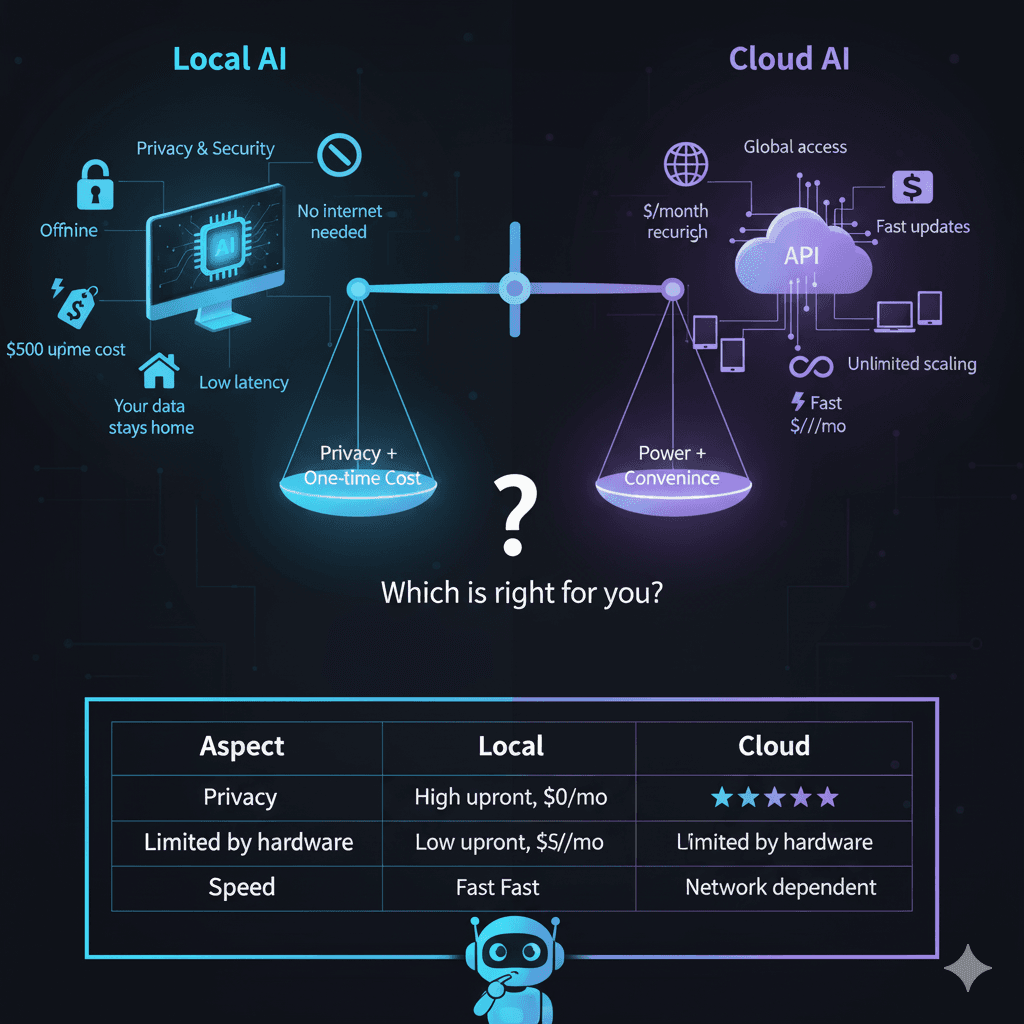
Should you use a cloud assistant, or run a model on your own computer? Short answer: cloud is better at the hardest reasoning, local is better at everything you would rather not send to a stranger — and the cost question is arithmetic, not opinion, so this chapter gives you the formulas to settle it for your own situation rather than someone else's.
It is a bit like eating out versus cooking at home. Both work. The trade-offs are what make the decision interesting, and they are more specific than the slogans on either side suggest.
🍽️The Restaurant vs Home Cooking Analogy
☁️Cloud AI (Restaurant)
- •Professional chefs: Powerful models
- •No cooking/cleanup: No setup needed
- •Costs per meal: Subscription/usage fees
- •They see what you eat: Privacy concerns
- •Need to go there: Internet required
💻Local AI (Home Cooking)
- •You're the chef: Complete control
- •Buy groceries once: One-time setup
- •Cook anytime free: No ongoing costs
- •Complete privacy: Nobody sees
- •Always available: Works offline
Which one is actually cheaper for you?
Nobody can answer this for you, because it turns on three numbers that are personal: what you would pay a cloud provider, what hardware you would have to buy (nothing, if you already own a capable machine), and what a kilowatt-hour costs where you live. What we can do is give you the shape of the comparison and the arithmetic to finish it.
Cloud AI (Subscription)
Local AI (One-time)
Finish the calculation yourself
- 730 is the average number of hours in a month. Use your actual electricity rate — it varies by more than a factor of three between regions, which is why any single dollar figure in an article is worthless to you.
- Average watts is the number people overestimate. An AI machine is idle most of the time and only draws near its peak while a model is generating, so the real figure sits much closer to idle draw than to the power supply's rating. A plug-in power meter settles it for the price of a coffee.
- If hardware cost is zero, local wins on day one. If you would be buying a GPU specifically for this, run the division before you buy — at light usage the break-even can be years, and the honest reason to do it anyway is privacy and no usage limits, not money.
What does each option actually see?
What Cloud AI Sees:
What Local AI Sees:
Nothing leaves your computer
- • No company access
- • No data collection
- • No usage tracking
- • Complete isolation
- • Your data stays private
Where the difference bites:
Local inference removes one specific risk — transmission to a third party — and it removes it completely. It does not make the machine itself secure: disk encryption, patching and access control are still your job, and a local model will cheerfully write sensitive output into a file that later syncs to a cloud drive.
How fast can a local model possibly be?
You will find a lot of tokens-per-second numbers on the internet, measured on machines that are not yours, with quantizations and context lengths that are usually unstated. Rather than add to the pile, here is the piece of arithmetic that explains all of them — and a command that gives you your own number in ten seconds.
The ceiling: bandwidth ÷ model size
Producing a single token requires reading every weight in the model out of memory. So however fast your processor is, it cannot generate faster than memory can feed it. That one division explains the entire local-versus-cloud speed gap and most of the differences between GPUs:
- • Dual-channel system RAM moves on the order of 80-90 GB/s — this is what CPU-only inference is limited to.
- • A discrete GPU moves several hundred GB/s, and a 24GB enthusiast card is close to 1 TB/s. Check the published figure on your card's specification page.
- • Apple Silicon is the interesting middle case: one pool of unified memory shared by CPU and GPU, at bandwidths well above ordinary system RAM.
Treat the result as an upper bound you will not reach. Attention over a growing context, sampling and framework overhead all cost time the formula ignores — but it reliably tells you which side of "fast enough" a given model and machine will land on.
Your actual number, in one command
After the response, Ollama prints an eval rate line in tokens per second. That is a measurement of your machine with your model, and it beats anyone else's benchmark for predicting how the thing will feel to use. Run it on two model sizes and the bandwidth arithmetic above stops being abstract.
And on quality, honestly
Speed is measurable; quality is not, at least not by a number someone hands you. What can be said plainly is that the largest hosted models remain ahead on hard multi-step reasoning, long-context work and breadth of knowledge, and that the gap has narrowed a great deal for the everyday work most people actually do — summarizing, reformatting, classifying, drafting, explaining code. The useful test is not a leaderboard. It is running your own five most common prompts through a local model and seeing whether the output is good enough for the job you had in mind.
What hardware does each model size need?
There is one rule of thumb that answers this for any model you will ever consider. At the Q4_K_M quantization that Ollama and LM Studio ship by default, a model occupies roughly:
Apply it and the tiers fall out on their own. The VRAM column below is that arithmetic; check it against the download size shown on the model's library page before you pull anything, and expect the two to agree within a few hundred megabytes.
| Model size | Memory at Q4_K_M | Fits comfortably on | Examples |
|---|---|---|---|
| 3B | ~1.8 GB | Any 6GB GPU; 16GB of system RAM with no GPU at all | Llama 3.2 3B, Phi-3 Mini |
| 7-8B | ~4.2-4.8 GB | 8GB GPU, or 16GB of unified memory | Mistral 7B, Llama 3.1 8B |
| 13-14B | ~7.8-8.4 GB | 12GB GPU | Qwen2.5 14B, CodeLlama 13B |
| 27-32B | ~16-19 GB | 24GB GPU, or 32GB of unified memory | Gemma 2 27B, Qwen2.5 32B |
| 70B | ~42 GB | Two 24GB GPUs, or 64GB+ of unified memory | Llama 3.x 70B |
Two things the table cannot tell you
- • Fitting is not the same as being fast. Once the model fits, speed is set by the bandwidth arithmetic in the previous section — which is why a card with more VRAM but a narrower memory bus can be slower on the same model than a smaller card.
- • Prices move constantly, so this chapter does not quote them. For current pricing and VRAM-per-dollar across both vendors, see the hardware hub.
How do I actually set this up?
Option 1: LM Studio (Easiest)
Like Spotify for AI
- 1.Download LM Studio (free)
- 2.Click "Browse" to see available models
- 3.Download model (one click)
- 4.Click "Load"
- 5.Start chatting!
Option 2: Ollama (Command Line)
Like Netflix for AI
Option 3: Text Generation WebUI (Advanced)
Like Adobe for AI
- 1.Clone from GitHub
- 2.Run installation script
- 3.Download models
- 4.Configure settings
- 5.Launch web interface
Going deeper: the complete Ollama guide covers every command, flag and Modelfile option; running AI on Ubuntu walks through NVIDIA and AMD driver setup on Linux; and if you are unsure whether your machine is enough, the hardware checker applies the formulas above to your own specs. On a modest machine, start from the best models for 8GB of RAM.
The hybrid split most people end up with
Framing this as local versus cloud is the mistake. n8n-style automation aside, nothing stops you running both, and the routing rule that works is simple: decide by sensitivity and by difficulty, never by loyalty to one camp.
Send it local when…
- →The content is sensitive. Confidential, personal or client material — a risk decision, not a quality one
- →The volume is high. Code completion, bulk reformatting, classification — no per-use cost means no reason to ration it
- →You need it offline or deterministic. A pinned local model does not change under you mid-project
Send it to the cloud when…
- →The reasoning is genuinely hard. Long multi-step analysis is where frontier models still clearly lead
- →You need the newest capability. New modalities and features land in hosted products first
- →The material is not sensitive and the job is a one-off, so setup time would dominate
The practical outcome: local becomes your default tool because it is always there and costs nothing per use, and one cloud subscription stays for the jobs that earn it. That also flips the cost question — instead of asking whether local can replace the subscription entirely, you are asking whether the subscription still earns its fee once local absorbs the routine work. Often it does. Sometimes it does not.
Real Use Cases: When to Use What
Use Local AI When:
- ✓Working with confidential data
- ✓No internet connection
- ✓Repetitive tasks (no usage limits)
- ✓Need consistent responses
- ✓Want to customize/fine-tune
- ✓Budget conscious
- ✓Privacy is critical
Use Cloud AI When:
- ✓Need absolute best quality
- ✓Want latest features immediately
- ✓Don't have good hardware
- ✓Occasional use only
- ✓Need support/reliability
- ✓Working on non-sensitive data
- ✓Collaboration with team
Try This: Your First Local Model
15-Minute Setup Challenge:
1. Download LM Studio (3 min)
- • Go to lmstudio.ai
- • Download for your OS
- • Install like any app
2. Get a Model (10 min)
- • Open LM Studio
- • Go to "Explore"
- • Search "Mistral 7B"
- • Click download (4GB)
3. Test It (2 min)
- • Click "Load Model"
- • Type: "Write a haiku about pizza"
- • Compare with ChatGPT
Congratulations! You're now running AI locally!
Not Sure Which Model to Use?
Answer 4 quick questions and get a personalized model recommendation with exact specs and setup instructions:
🎯 AI Model Selection Wizard
Answer 4 quick questions to find your perfect local AI model
How much RAM does your computer have?
Key Takeaways
- ✓Local AI offers complete privacy - nothing leaves your computer
- ✓Cloud AI offers convenience - no setup, latest models, professional support
- ✓Cost is arithmetic, not opinion: hardware cost ÷ (cloud monthly − power monthly) = months to break even
- ✓Two formulas size any model: ~0.6GB of memory per billion parameters at Q4_K_M, and a speed ceiling of bandwidth ÷ model size
- ✓Frontier cloud models still lead on the hardest reasoning — local has closed most of the gap on everyday work
- ✓Hybrid approach is best - use local for daily tasks, cloud for complex work
- ✓Setup is easier than you think - 10-15 minutes to get started
Frequently Asked Questions
Is local AI really more private than cloud AI?
Structurally, yes — and that is the important word. With a local model the inference happens on your machine, so your prompt is never transmitted anywhere and there is no server-side log of it to subpoena, breach or repurpose. Cloud AI processes your text on someone else's infrastructure under whatever retention and training policy their terms currently specify. That does not make local AI magically secure: the machine itself still needs disk encryption, patches and sensible access control, and a local model will happily write your confidential data into a file that later gets synced to a cloud drive. Local removes one specific, large risk. It does not remove the rest.
What hardware do I actually need to run a model locally?
Two numbers decide it. First, whether the model fits: at the Q4_K_M quantization most tools ship by default, budget roughly 0.6GB of memory per billion parameters, plus one to two gigabytes for context. That is about 4.2GB for a 7B model, 8.4GB for a 14B and 19GB for a 32B. Second, how fast it can possibly run: generating a token requires reading the entire model out of memory, so the ceiling is memory bandwidth divided by model size. Check the bandwidth figure on your card's specification page and do the division. Apple Silicon machines are unusual here because CPU and GPU share one pool of high-bandwidth memory, which is why a Mac with plenty of unified memory can run models that would need a much more expensive discrete GPU.
Which is actually cheaper over time, local or cloud?
It depends on three numbers you can look up in five minutes: your subscription cost, your hardware cost, and your electricity. Cloud is a fixed monthly fee. Local is a one-time hardware cost plus power, where monthly kWh = average watts x 730 / 1000, multiplied by the rate on your bill. Break-even in months is hardware cost divided by the monthly saving. If you already own a capable machine, hardware cost is zero and local wins immediately. If you would be buying a GPU specifically for this, the break-even is often longer than people expect, and for occasional use cloud stays cheaper — in which case you are buying privacy and unlimited usage rather than savings.
How do local models compare to cloud models on quality?
The largest hosted models are still ahead on hard multi-step reasoning, long-context work and breadth of general knowledge, and it would be dishonest to claim otherwise. The gap has narrowed considerably for the everyday tasks that make up most usage — summarizing, reformatting, classifying, drafting, explaining code. The honest framing is that model size is a real constraint and a 7B model running on your laptop is not a frontier model, but that most of what people ask an assistant to do does not require a frontier model. Test on your own tasks; that is the only comparison that predicts your experience.
Ollama or LM Studio for a beginner?
LM Studio if you want a graphical interface: you browse models, click download, click load, and start chatting, with memory usage shown on screen as you go. Ollama if you are comfortable in a terminal and want something scriptable — it installs as a background service and exposes an HTTP API on localhost that other tools can call, which is what makes it the usual choice for automation and for wiring a model into an editor. Many people end up with both installed. Neither requires an account, and both run entirely offline once the model is downloaded.
Can I run several models at once?
Yes, subject to memory. Use the same 0.6GB-per-billion-parameters estimate for each model and add them up: two 7B models are roughly 8.4GB before context, so they will not both fit comfortably on an 8GB card. Ollama loads models on demand and unloads them after an idle timeout, which handles most of this automatically; if you are switching between models constantly, raise the keep-alive setting so you are not paying the load time repeatedly. When the total exceeds your VRAM the runtime spills into system RAM, which does not crash but does slow generation dramatically — that sudden slowdown is usually what has happened.
What makes local AI attractive to organizations?
Mostly data governance rather than cost. Inference on infrastructure you control means confidential material never crosses an organizational boundary, which removes an entire category of vendor-assessment and data-residency questions before they are asked, and makes air-gapped deployment possible for facilities that require it. Costs are also predictable — fixed hardware rather than a bill that scales with adoption. None of this is automatic compliance with any specific regime; local deployment removes one common obstacle to it and leaves the rest of the work in place.
What does a sensible hybrid setup look like?
Route by sensitivity and by difficulty, not by preference. Anything involving confidential material goes local by default, because that decision is about risk rather than quality. Everything high-volume and routine goes local too, since local has no per-use cost — code completion, drafting, quick questions, bulk reformatting. The remainder, meaning genuinely hard reasoning or work that needs the newest capabilities, goes to a cloud model. Most people land here naturally: local as the default tool, one cloud subscription kept for the jobs that earn it.
Chapter 10 Knowledge Check
Get Local AI Deployment Guides
Weekly local AI tips, model picks and cost-saving strategies, straight to your inbox.
Ready to Discover Hidden AI in Your Life?
In Chapter 11, discover 50+ AI interactions you use every day without realizing it!
Continue to Chapter 11