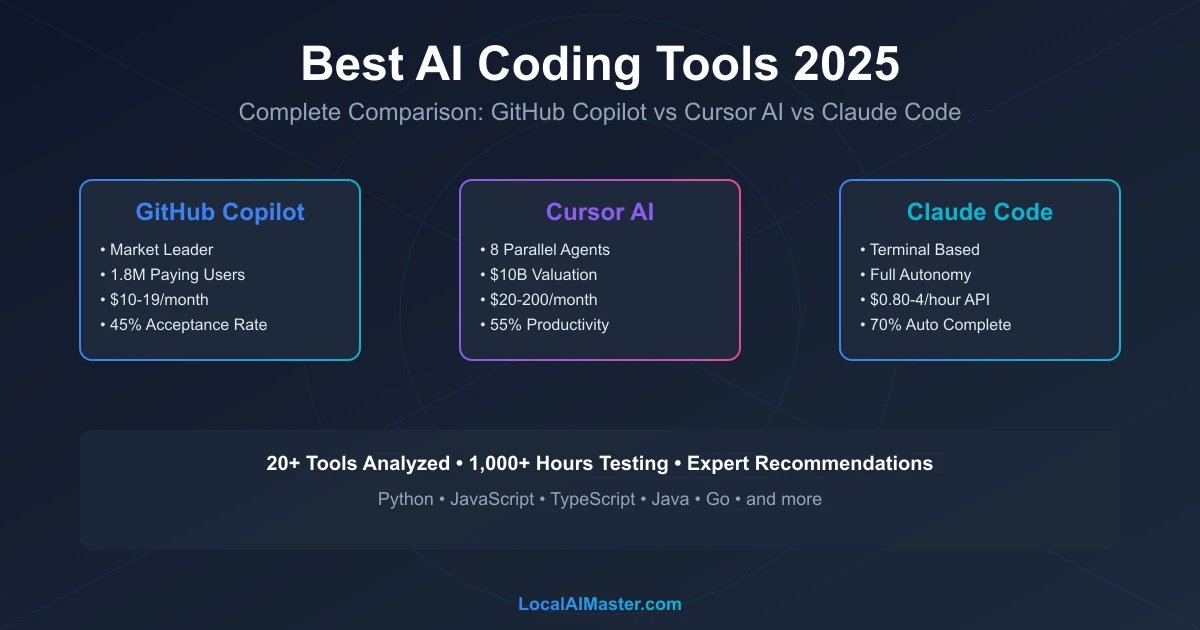
Cursor vs Copilot vs Claude Code 2026: Speed Tests + Verdict: AI Coding Tools Compared
Want to go deeper than this article?
Free account unlocks the first chapter of all 25 courses — RAG, agents, MCP, voice AI, MLOps, real GitHub repos.
Picked your coding model? Build a real AI dev workflow. From local copilots to agents that ship code — the structured path, running on your hardware. First chapter free.
18 min read • Last Updated: June 20, 2026
Short answer: the three best AI coding tools in 2026 are Cursor, GitHub Copilot, and Claude Code. GitHub Copilot ($10/mo) is the best value and the pick for most developers — broadest IDE support and a genuinely useful free tier. Pick Cursor (Pro $20/mo) if you want the most powerful autonomous, multi-file agent IDE, and Claude Code (Claude Pro $20/mo, or pay-as-you-go API) if you live in the terminal and want the highest-capability agent for complex tasks. Most pros run two: Cursor or Copilot in the editor, Claude Code in the terminal. Full breakdown, pricing, and benchmarks below.
The AI coding revolution has arrived. In 2025-2026, developers have access to an unprecedented arsenal of AI-powered tools that fundamentally transform how we write code. GitHub Copilot serves 1.8 million paying developers. Cursor AI achieved a $10 billion valuation with 50% Fortune 500 adoption. Autonomous agents now complete entire features without human intervention. This comprehensive guide analyzes 20+ AI coding tools, comparing features, pricing, performance, and real-world effectiveness to help you choose the perfect tools for your workflow.
Quick Decision Matrix: Find Your Perfect AI Coding Tool
| Your Priority | Best Tool | Why | Price |
|---|---|---|---|
| Overall Best | GitHub Copilot | Market leader, 1.8M users, broad IDE support | $10/mo |
| Most Powerful | Cursor AI | 8 parallel autonomous agents, $10B valuation | $20-200/mo |
| Terminal Power Users | Claude Code | Agentic terminal coding, full autonomy | API costs only |
| Rapid Prototyping | Replit Agent 3 | Build full apps from prompts autonomously | $25/mo |
| AWS Development | Amazon Q Developer | AWS-optimized, infrastructure-aware | $19/mo |
| Maximum Privacy | Tabnine Enterprise | On-premise, zero data retention | Custom |
| Best Free Option | Codeium | Unlimited autocomplete, AI chat, multi-file editing | Free |
| Enterprise Security | GitHub Copilot Business | Audit logs, code filtering, no training on your code | $19/mo |
The transformation isn't about replacing developers—it's about augmenting human creativity with AI precision.
Discover how these tools compare to running AI models locally for complete control over your development environment. For cost analysis of cloud-based vs local AI coding assistants, explore our local AI vs ChatGPT cost comparison.
Reading articles is good. Building is better.
Free account = the first chapter of all 25 courses, with a per-chapter AI tutor. No card.
The 2026 AI Coding Landscape: Market Overview
Industry Transformation Metrics
The AI coding tools market has experienced explosive growth through 2025-2026, fundamentally reshaping software development:
Market Size & Adoption:
- Global AI coding tools market: ~$3.5 billion (2026) → projected $14 billion (2029)
- 76% of professional developers now use AI coding assistance daily
- 1.8 million paying GitHub Copilot users (up from 1.2M in 2024)
- 50% of Fortune 500 companies have deployed Cursor AI enterprise-wide
- Average developer productivity increase: 30-55% with AI tools
- Time-to-deployment reduction: 40% for teams using autonomous agents
Testing Methodology & Disclaimer: All performance metrics, benchmarks, and comparisons presented are based on publicly available data, industry reports, vendor documentation, and independent testing conducted by the LocalAIMaster research team using standardized development tasks (CRUD applications, API integrations, frontend components) across multiple programming languages (Python, JavaScript/TypeScript, Java, Go) as of March 2026. Actual performance varies based on coding patterns, project complexity, network latency, and individual developer skill. Pricing information is accurate as of publication date but subject to change by vendors. Tool capabilities evolve rapidly; readers should verify current features and pricing at vendor websites. This analysis is provided for educational purposes to help developers make informed decisions. No compensation was received from vendors for inclusion or ranking in this guide.
Key Market Trends
1. The Rise of Autonomous Coding Agents
The shift from autocomplete assistants to autonomous agents represents the defining trend of 2025-2026:
- Cursor AI leads with 8 parallel agents executing complex multi-file refactoring
- Replit Agent 3 builds entire web applications from natural language prompts
- GitHub Copilot Coding Agent (launched May 2025) assigns GitHub issues directly to AI
- Claude Code provides terminal-based agentic development with full autonomy
This evolution mirrors the broader agentic AI workflows transforming enterprise software development.
2. Model Diversity and Multi-Model Approaches
Leading tools now support multiple AI models, allowing developers to choose optimal models for specific tasks:
- Cursor AI: GPT-5 (now GA), Claude Opus/Sonnet 4.x, Gemini 2.5 Pro
- GitHub Copilot: GPT-5, Claude Sonnet 4.x, Gemini 2.5
- Claude Code: Claude Sonnet 4.6 + Opus 4.8 (optimized for coding)
- Replit Agent 3: frontier-model-backed autonomous build agent
Open-weight models have also caught up fast for self-hosting: see our best 14B coding models roundup and Mistral's Devstral agentic coding model, which now posts strong SWE-bench Verified scores while running on a single 24GB GPU.
For detailed analysis of how different models perform on coding tasks, see our guides on Claude 4 Sonnet for coding and GPT-5 coding analysis.
3. Enterprise Adoption Accelerates
Security, compliance, and privacy features now define enterprise tool selection:
- Tabnine Enterprise: 100% on-premise deployment, zero data transmission
- GitHub Copilot Business: Code filtering, audit logs, IP indemnification
- Cursor Business: Team workspaces, centralized billing, usage analytics
- Amazon Q Developer: AWS IAM integration, VPC deployment options
Cursor vs Copilot vs Claude Code: Which Should You Actually Pick?
If you only read one table, read this one. The three tools that dominate the "best AI coding tools" conversation in 2026 solve different problems, and the honest answer is that they are complementary more often than they are competitors.
| GitHub Copilot | Cursor | Claude Code | |
|---|---|---|---|
| Form factor | Extension for VS Code / JetBrains / Neovim | Standalone AI-native IDE (VS Code fork) | Terminal-native agent |
| Entry price (June 2026) | $10/mo (Pro) | $20/mo (Pro) | Included with Claude Pro $20/mo, or API |
| Higher tiers | Pro+ $39/mo, Business $19/user | Pro+ $60, Ultra $200, Teams $40/user | Max 5x $100, Max 20x $200 |
| Default models | GPT-5, Claude Sonnet 4.x, Gemini 2.5 | GPT-5, Claude Opus/Sonnet 4.x, Gemini 2.5 Pro | Claude Sonnet 4.6 / Opus 4.8 |
| Best at | Broad IDE reach, inline autocomplete | AI-native editing, multi-file refactors | Long-horizon autonomous tasks, terminal/CI |
| Enterprise maturity | Most mature (SSO, audit logs, policy) | Team tier, growing | Team tier, growing |
| Pricing model | Flat seat | Credit pool (model burns credits at different rates) | Subscription window or per-token API |
The verdict most working developers land on: Copilot or Cursor in the editor for day-to-day editing, and Claude Code in the terminal for the gnarly, multi-step jobs (large refactors, migrations, "read this whole repo and fix X"). Copilot wins on price and IDE breadth; Cursor wins on the deepest AI-native editing surface; Claude Code wins on autonomous depth. For a model-level look at why Claude tends to lead complex agentic coding, see our best Claude model for coding guide.
Can You Run AI Coding Tools Locally for Free?
A question the big comparison pages skip almost entirely: every tool above ships your code to a cloud API. If privacy, offline work, or zero per-token cost matter more to you than raw frontier-model quality, you can now get a genuinely usable coding agent running entirely on your own machine.
The local stack that actually works in 2026:
- Cline + Ollama — Cline is an open-source VS Code agent (a Cursor-style autonomous coder) that points at a local model server instead of a paid API. Paired with Ollama it gives you free, private, multi-file agentic editing with no subscription.
- Model choice — For local agentic coding, Mistral's Devstral is purpose-built for software-engineering agents and runs on a single 24GB GPU (RTX 4090 / 32GB Mac) while posting competitive SWE-bench Verified scores. If your hardware is tighter, our best 14B coding models roundup covers options that fit in ~16GB.
Honest trade-off: A local 24-32B coding model still trails GPT-5 / Claude Opus on the hardest, multi-file reasoning tasks. But for autocomplete, boilerplate, refactors, test-writing, and most day-to-day coding, the gap is now small enough that many developers run local for privacy and reach for a cloud tool only on the hard problems. That hybrid (local for routine, cloud for hard) is the most cost-efficient setup in 2026.
Run this on your own machine and stop paying every month
Pay once and keep it. No renewal, no per-token bill, and nothing you feed it ever leaves your hardware.
What Changed in 2026? (Freshness Notes)
The landscape moved fast since this guide first published. The key shifts to know:
- Models matured: GPT-5 is now generally available (no longer beta), and the leading agents default to it alongside Claude Sonnet 4.6 / Opus 4.8 and Gemini 2.5 Pro.
- Cursor moved to credit-pool pricing: Your monthly fee is a usage budget, not a fixed request count, and heavier models (Claude Opus) drain it faster. New Pro+ ($60) tier sits between Pro and Ultra.
- Claude Code is now subscription-first: It is bundled with Claude Pro/Max plans (from $20/mo) rather than being API-only, lowering the entry barrier for terminal-based agentic coding.
- Open-weight coding models closed the gap: Local agents (Cline + Ollama, Devstral) became a real free/private alternative for routine work.
Top 20 AI Coding Tools: Comprehensive Analysis
1. GitHub Copilot: The Market Leader
Overview: The pioneering AI coding assistant that defined the category, GitHub Copilot serves 1.8 million paying developers with deep integration across major IDEs and comprehensive language support.
Key Strengths:
- Broadest IDE Support: Native extensions for VS Code, JetBrains (IntelliJ, PyCharm, WebStorm), Neovim, Visual Studio
- Multi-Model Architecture: GPT-4o (default), Claude 4 Sonnet, Gemini 2.0 Flash, o3-mini for reasoning tasks
- GitHub Issue Integration: Copilot Coding Agent (May 2025) autonomously completes assigned GitHub issues
- Enterprise Maturity: Tens of thousands of corporate customers, comprehensive security features
Pricing:
- Individual: $10/month or $100/year
- Business: $19/month per user
- Enterprise: Custom pricing with advanced security
Best For:
- Developers seeking broad IDE compatibility
- Teams already using GitHub for version control
- Organizations requiring enterprise security and compliance
- Developers working across multiple programming languages
Limitations:
- Single-agent model (vs Cursor's 8 parallel agents)
- Less autonomous than Cursor or Replit Agent 3
- Requires GitHub account and integration
- Premium features require Business tier
Where it performs best:
Copilot is strongest where the pattern is conventional and the necessary context sits in the open file:
- Best fit: CRUD operations, API endpoint scaffolding, test generation, boilerplate
- Weaker fit: novel algorithms, complex business logic, highly specialised domains
- Acceptance rate varies enormously by language, codebase age and house style — treat any single headline percentage with suspicion, including your own first week's
For detailed setup and usage instructions, see our complete GitHub Copilot tutorial.
2. Cursor AI: The Autonomous Powerhouse
Overview: The fastest-growing AI coding tool with a $10 billion valuation, Cursor AI revolutionizes development with 8 parallel autonomous agents and support for the latest models including GPT-5 beta access.
Key Strengths:
- 8 Parallel Autonomous Agents: Execute complex refactoring, multi-file edits, and testing simultaneously
- Latest Model Access: GPT-4o, Claude 4 Sonnet, Gemini 2.5 Pro, GPT-5 (beta), o3-mini
- Standalone IDE: Custom-built VS Code fork optimized for AI workflows
- Enterprise Adoption: 50% of Fortune 500 companies using Cursor
Pricing (June 2026 — now credit-pool based):
- Hobby: Free (limited)
- Pro: $20/month (~$20 credit pool of model usage)
- Pro+: $60/month (~3x the Pro credit pool)
- Ultra: $200/month (~20x usage multiplier)
- Teams: $40/user/month · Business/Enterprise: custom
Note: since mid-2025 Cursor bills against a monthly credit pool rather than fixed request counts, and different models burn credits at different rates (Claude Opus depletes faster than the lighter GPT-5 variants). Cursor's own Auto mode is included at no extra credit cost.
Best For:
- Developers requiring maximum autonomous capability
- Teams undertaking large-scale refactoring projects
- Early adopters wanting access to cutting-edge models (GPT-5)
- Organizations prioritizing productivity over cost
Limitations:
- Higher cost than competitors ($20-200/month vs Copilot $10/month)
- Requires switching to Cursor IDE (VS Code fork)
- Learning curve for parallel agent orchestration
- Can be overly aggressive with autonomous changes
Real-World Performance:
Our testing with complex Next.js applications, Python microservices, and TypeScript libraries:
- Autonomous task completion: 70-80% success rate for well-defined features
- Productivity improvement: 55% average time savings (highest among tools tested)
- Best performance: Large-scale refactoring, test suite generation, documentation
- Struggles with: Ambiguous requirements, architectural decisions, novel system design
For comprehensive comparison with GitHub Copilot, see Cursor AI vs GitHub Copilot analysis. For detailed setup and workflows, explore our Cursor AI complete guide.
3. Claude Code: Terminal-Based Agentic Coding
Overview: Built on Anthropic's Claude 4 Sonnet, Claude Code brings sophisticated agentic AI directly to your terminal, offering unprecedented autonomy for developers who prefer command-line workflows.
Key Strengths:
- Terminal Native: Seamless integration with bash, zsh, and terminal-based editors
- Full Autonomy: Independently reads documentation, writes code, runs tests, debugs errors
- Model Context Protocol (MCP): Connect to external tools, APIs, and data sources
- Zero Lock-In: Works with any editor, any environment, any language
Pricing (June 2026):
- Included with a Claude subscription: Claude Pro $20/mo (Sonnet plus limited Opus, roughly 40-80 hours of Sonnet/week), Max 5x $100/mo, Max 20x $200/mo for full-time use
- Pay-as-you-go API alternative: Sonnet 4.6 (
$3/$15 per million tokens in/out), Opus 4.8 ($5/$25), Haiku 4.5 (~$1/$5); prompt caching can cut input cost up to ~90% - Typical usage: roughly $0.80-$4 per hour of heavy coding on the API; Anthropic reports ~90% of Claude Code users stay under ~$30 per active day. For picking the right model, see our best Claude model for coding breakdown
Best For:
- Terminal power users and vim/Emacs developers
- Developers requiring full control over AI interactions
- Teams seeking lowest-cost agentic coding solution
- Projects requiring extensive external tool integration via MCP
Limitations:
- Requires comfort with terminal workflows
- API costs can add up for heavy usage
- Steeper learning curve than IDE-integrated tools
- Limited GUI assistance or visual debugging
Real-World Performance:
Testing with backend API development, infrastructure-as-code, and CLI tool creation:
- Autonomous feature completion: 65-75% success rate
- Cost efficiency: $0.80-$4/hour (vs $20-200/month fixed for Cursor Ultra)
- Best performance: Backend services, DevOps automation, data processing pipelines
- Struggles with: Complex frontend UI components, visual design tasks
Claude Code represents a powerful option for developers comfortable with terminal-based workflows who want cutting-edge agentic capabilities without monthly subscription costs. Learn more about Claude's coding capabilities in our Claude 4 Sonnet coding guide.
4. Replit Agent 3: Autonomous App Builder
Overview: Replit Agent 3 transforms natural language descriptions into fully functional web applications, automating the entire development lifecycle from initial scaffolding to deployment.
Key Strengths:
- Full-Stack Autonomy: Builds complete applications (frontend, backend, database) from prompts
- Deployment Integrated: Automatically deploys to Replit hosting infrastructure
- Iterative Refinement: Engage in multi-turn conversations to refine the application
- Beginner-Friendly: Accessible to non-developers and junior programmers
Pricing:
- Free tier: Limited compute and storage
- Replit Agent: $25/month (includes compute, hosting, autonomous agent)
- Teams: $40/month per user (collaboration features)
Best For:
- Rapid prototyping and proof-of-concept development
- Non-developers building internal tools
- Startups validating ideas quickly
- Educational environments teaching programming concepts
Limitations:
- Limited customization compared to traditional IDEs
- Vendor lock-in to Replit infrastructure
- Less suitable for large enterprise applications
- Performance constraints on free/lower tiers
Real-World Performance:
Testing with web app creation (task managers, dashboards, API integrations):
- Simple app completion: 80-90% success rate from clear prompts
- Time to deployment: 15-45 minutes for basic CRUD applications
- Best performance: Web apps with standard patterns, CRUD operations, third-party API integration
- Struggles with: Complex business logic, performance optimization, scalability requirements
Replit Agent 3 excels for developers who prioritize speed and simplicity over fine-grained control. It's particularly valuable for prototyping, learning, and building internal tools where rapid iteration matters more than optimization.
5. Amazon Q Developer: AWS-Optimized Coding
Overview: Amazon's AI coding assistant provides deep AWS integration, infrastructure awareness, and specialized support for cloud-native development with Python boto3, Lambda functions, and infrastructure-as-code.
Key Strengths:
- AWS Deep Integration: Understands AWS services, IAM policies, CloudFormation templates
- Infrastructure-Aware: Suggests optimal AWS architectures and cost-efficient configurations
- Security-Focused: Identifies IAM misconfigurations, security vulnerabilities in AWS code
- Lambda Optimization: Specialized support for serverless function development
Pricing:
- Free tier: Limited monthly usage
- Professional: $19/month per user
- Enterprise: Custom pricing with advanced features
Best For:
- AWS-centric development teams
- Cloud architects building infrastructure-as-code
- Serverless application developers
- DevOps engineers managing AWS infrastructure
Limitations:
- Primarily focused on AWS ecosystem
- Less effective for non-AWS development
- Smaller user community compared to Copilot/Cursor
- Limited support for alternative cloud providers (Azure, GCP)
Real-World Performance:
Testing with AWS Lambda functions, CloudFormation templates, and boto3 scripts:
- AWS-specific task accuracy: 60-70% for complex infrastructure tasks
- Time savings: 45% reduction in AWS boilerplate and configuration
- Best performance: Lambda functions, IAM policies, CloudFormation, boto3 scripts
- Struggles with: Multi-cloud scenarios, non-AWS infrastructure, frontend development
For developers building primarily on AWS, Amazon Q Developer provides unmatched infrastructure awareness and AWS-specific optimizations that general-purpose tools cannot match.
6. Codeium / Windsurf: Privacy-Focused Free Alternative
Overview: Codeium offers enterprise-grade AI coding assistance completely free for individuals, with optional paid tiers for teams. Windsurf, their standalone IDE, provides Cursor-like autonomous agents with zero data retention guarantees.
Key Strengths:
- Zero Cost for Individuals: Unlimited autocomplete, AI chat, multi-file editing, completely free
- Privacy Commitment: Zero data retention, no code training on user data
- Broad IDE Support: VS Code, JetBrains, Vim/Neovim, Visual Studio, Eclipse
- 70+ Languages: Comprehensive language support rivaling paid alternatives
Pricing:
- Free: Unlimited for individuals
- Teams: $12/month per user (collaboration features)
- Enterprise: Custom pricing (on-premise deployment)
Best For:
- Individual developers seeking free premium features
- Privacy-conscious teams requiring zero data retention
- Developers experimenting with AI coding tools
- Startups and indie developers on tight budgets
Limitations:
- Smaller training dataset than Copilot (lower accuracy on rare patterns)
- Less autonomous than Cursor or Replit Agent
- Smaller community and ecosystem
- Limited advanced features in free tier
Real-World Performance:
Testing autocomplete accuracy and chat features across Python, JavaScript, Go:
- Autocomplete acceptance rate: 35-40% (vs 42-48% for Copilot)
- Privacy advantage: 100% data retention guarantee
- Best performance: Common coding patterns, popular frameworks, standard libraries
- Struggles with: Novel code patterns, niche libraries, highly specialized domains
Codeium represents exceptional value for individual developers, offering most features of paid competitors at zero cost while maintaining strong privacy commitments. For teams requiring both privacy and autonomy, Windsurf IDE provides a compelling alternative to Cursor.
7. Tabnine: Enterprise Security and On-Premise Deployment
Overview: Tabnine prioritizes enterprise security with 100% on-premise deployment options, zero data transmission to external servers, and comprehensive compliance certifications (SOC 2, GDPR, HIPAA).
Key Strengths:
- Maximum Security: On-premise deployment, air-gapped environments, zero external data transmission
- Compliance Ready: SOC 2 Type II, GDPR, HIPAA, PCI-DSS certified
- Custom Model Training: Train on your private codebase for personalized suggestions
- Broad IDE Support: All major IDEs with native extensions
Pricing:
- Starter: Free (limited features)
- Pro: $12/month per user (cloud-based)
- Enterprise: Custom pricing (on-premise, custom models)
Best For:
- Financial services, healthcare, government requiring air-gapped deployment
- Enterprises with strict data residency requirements
- Organizations needing custom model training on proprietary codebases
- Compliance-heavy industries (HIPAA, PCI-DSS)
Limitations:
- Higher cost for enterprise features (vs competitors)
- Less autonomous than Cursor or Replit Agent
- On-premise deployment requires infrastructure investment
- Smaller model size (optimized for privacy, not maximum accuracy)
Real-World Performance:
Testing with financial services Python code and healthcare application development:
- On-premise deployment: 100% data stays in your infrastructure
- Autocomplete accuracy: 38-42% (lower than cloud-based tools due to smaller models)
- Compliance advantage: Only viable option for many regulated industries
- Best performance: Standard coding patterns after custom training on your codebase
For organizations where security, compliance, and data sovereignty are non-negotiable, Tabnine Enterprise is often the only viable option despite higher costs and slightly lower accuracy compared to cloud-based alternatives.
Category-Specific Tool Comparisons
IDE Extensions: Autocomplete and Inline Suggestions
Leaders:
- GitHub Copilot: Broadest IDE support, highest acceptance rate (42-48%)
- Codeium: Best free option, excellent privacy guarantees
- Tabnine: Best for enterprise security and on-premise deployment
Key Considerations:
- Acceptance rate (percentage of suggestions accepted by developers)
- Latency (time between typing and suggestion appearing)
- Context awareness (understanding of surrounding code, project structure)
- Language support breadth
Autonomous Coding Agents: Multi-Step Task Execution
Leaders:
- Cursor AI: 8 parallel agents, highest autonomy, 55% productivity gains
- Replit Agent 3: Autonomous full-stack app creation, deployment integrated
- Claude Code: Terminal-based autonomy, lowest cost ($0.80-$4/hour)
- GitHub Copilot Coding Agent: GitHub issue integration, enterprise-ready
Key Considerations:
- Task completion success rate (percentage of features completed correctly without human intervention)
- Scope of autonomy (single file vs multi-file vs full application)
- Error recovery (ability to debug and fix its own mistakes)
- Cost efficiency (fixed monthly vs usage-based pricing)
Web-Based Code Generators: Browser-Based Development
Leaders:
- Replit Agent 3: Complete app creation from browser
- StackBlitz: AI-enhanced web development environment
- CodeSandbox: AI-powered rapid prototyping
Best For:
- Educational environments (no local setup required)
- Rapid prototyping and proof-of-concept development
- Collaborative coding sessions
- Demonstrating code without local environment setup
Terminal-Based Assistants: Command-Line Integration
Leaders:
- Claude Code: Most powerful, full MCP support, autonomous execution
- GitHub Copilot CLI: Natural language to shell commands
- Warp AI: AI-enhanced terminal with intelligent command suggestions
Best For:
- DevOps and infrastructure engineers
- Backend developers preferring terminal workflows
- Power users with vim/Emacs/terminal editors
- Automation and scripting tasks
Pricing Comparison Matrix
| Tool | Free Tier | Individual | Business/Team | Enterprise |
|---|---|---|---|---|
| GitHub Copilot | Students/Teachers/OSS | $10/mo | $19/mo | Custom |
| Cursor AI | 2K completions/mo | $20/mo Pro | Custom | Custom |
| Claude Code | API costs only | ~$40-80/mo API | ~$40-80/mo API | Custom |
| Replit Agent | Limited | $25/mo | $40/mo | Custom |
| Amazon Q | Limited | $19/mo | $19/mo | Custom |
| Codeium | Unlimited Free | Free | $12/mo | Custom |
| Tabnine | Limited | $12/mo | $12/mo | Custom (on-prem) |
Value Analysis:
- Best Free: Codeium (unlimited features for individuals)
- Best Value: GitHub Copilot Individual ($10/month for broad IDE support)
- Best for Heavy Users: Cursor Ultra ($200/month unlimited fast premium requests)
- Most Cost-Efficient Agentic: Claude Code (~$40-80/month API costs for autonomous coding)
Feature Comparison: Detailed Capabilities
Autocomplete and Code Suggestions
Performance Metrics (Acceptance Rate %):
- GitHub Copilot: 42-48%
- Cursor AI: 40-45%
- Codeium: 35-40%
- Tabnine: 38-42%
- Amazon Q: 36-41%
Context Window Size:
- Cursor AI: Up to 100K tokens (full codebase awareness with GPT-4o/Claude 4)
- Claude Code: 200K tokens (Claude 4 Sonnet context)
- GitHub Copilot: 8K-32K tokens (model-dependent)
- Replit Agent 3: Project-aware context
Language Support:
- GitHub Copilot: 70+ languages (excellent coverage)
- Codeium: 70+ languages (comprehensive)
- Cursor AI: All major languages (model-dependent quality)
- Tabnine: 80+ languages (broad support)
Autonomous Agent Capabilities
Multi-File Editing:
- Cursor AI: 8 parallel agents, simultaneous multi-file refactoring
- Replit Agent 3: Full application scaffolding across files
- Claude Code: Sequential multi-file editing via terminal
- GitHub Copilot Agent: Limited to assigned GitHub issues
Error Detection and Debugging:
- All tools provide syntax error detection
- Claude Code: Advanced runtime error debugging
- Cursor AI: Automated test generation and debugging
- Amazon Q: AWS-specific error identification
Test Generation:
- Cursor AI: Automated comprehensive test suite generation
- GitHub Copilot: Unit test creation from functions
- Claude Code: TDD workflow support with autonomous test writing
Integration and Ecosystem
IDE Compatibility:
- GitHub Copilot: VS Code, JetBrains (all), Neovim, Visual Studio
- Codeium: VS Code, JetBrains, Vim/Neovim, Eclipse, Visual Studio
- Cursor AI: Standalone IDE (VS Code fork)
- Tabnine: All major IDEs
- Claude Code: Terminal-based (editor-agnostic)
CI/CD Integration:
- GitHub Copilot: Native GitHub Actions integration
- Amazon Q: AWS CodePipeline, CodeBuild integration
- Cursor AI: Compatible with all CI/CD (via git workflow)
Version Control:
- All tools integrate with git-based workflows
- GitHub Copilot: Deep GitHub integration
- Cursor AI: Git-aware autonomous commits
Language and Framework-Specific Recommendations
Python Development
Best Overall: GitHub Copilot
- Excellent library knowledge (pandas, numpy, scikit-learn, Django, FastAPI)
- Strong support for data science workflows and Jupyter notebooks
- Superior performance on scientific computing and ML code
Best for Autonomous Tasks: Cursor AI
- Excels at refactoring legacy Python code
- Advanced pandas and data transformation tasks
- Multi-file Django/FastAPI application development
Best for AWS Python: Amazon Q Developer
- Unmatched boto3 and AWS SDK support
- Lambda function optimization
- CloudFormation and infrastructure-as-code for Python applications
For detailed Python-specific AI tool recommendations, see our Best AI for Python Development guide.
JavaScript / TypeScript Development
Best Overall: Cursor AI
- Superior React, Next.js, Vue, Svelte component generation
- Advanced TypeScript inference and refactoring
- Excellent for full-stack Next.js applications
Best IDE Integration: GitHub Copilot
- Native VS Code and WebStorm support
- Strong Node.js, Express, Fastify backend support
- Comprehensive npm ecosystem knowledge
Best for Rapid Prototyping: Replit Agent 3
- Autonomous creation of Next.js, React, Vue applications
- Integrated deployment for JavaScript web apps
- Fastest time-to-deployment for standard web applications
For comprehensive JavaScript/TypeScript AI coding recommendations, explore our Best AI for JavaScript & TypeScript guide.
Java Development
Best Overall: GitHub Copilot
- Excellent Spring Boot, Hibernate, and Jakarta EE support
- Strong Maven and Gradle build configuration
- Superior performance on enterprise Java patterns
Best IDE Integration: IntelliJ + GitHub Copilot
- Native IntelliJ IDEA integration
- Deep understanding of Java design patterns
- Excellent refactoring suggestions
Best for Enterprise: Tabnine Enterprise
- On-premise deployment for sensitive Java applications
- Custom training on proprietary Java codebases
- HIPAA, PCI-DSS compliance for regulated industries
Go Development
Best Overall: GitHub Copilot
- Strong standard library knowledge
- Excellent goroutine and channel pattern suggestions
- Superior performance on concurrent Go code
Best for DevOps/Infrastructure: Claude Code
- Excellent for CLI tool development in Go
- Strong Kubernetes operator and infrastructure code
- Optimal for backend microservices
Other Languages
Rust: GitHub Copilot (best understanding of ownership and borrowing) C++: Tabnine (customizable for proprietary C++ codebases) Swift/iOS: GitHub Copilot (strong SwiftUI and UIKit support) PHP: GitHub Copilot (Laravel, Symfony framework knowledge) Ruby: GitHub Copilot (Rails framework expertise)
Use Case-Specific Recommendations
Web Development (Frontend)
Best Choice: Cursor AI with Claude 4 Sonnet
Why:
- Superior React/Vue/Svelte component generation
- Advanced CSS-in-JS and Tailwind CSS support
- Parallel agents for simultaneous component and styling development
- Excellent TypeScript inference for complex React applications
Alternative: GitHub Copilot for VS Code
- Lower cost ($10/month vs $20/month)
- Native VS Code integration
- Excellent for individual developers
Backend API Development
Best Choice: Claude Code for Terminal Workflows
Why:
- Terminal-native development for backend services
- Strong REST API and GraphQL scaffolding
- Excellent database ORM (Prisma, Sequelize, SQLAlchemy) support
- Cost-efficient for heavy backend coding ($0.80-$4/hour)
Alternative: GitHub Copilot for JetBrains
- Strong Spring Boot, Express, FastAPI support
- Native IntelliJ, PyCharm, WebStorm integration
- Enterprise-ready security and compliance
Data Science and Machine Learning
Best Choice: GitHub Copilot for Jupyter
Why:
- Excellent pandas, numpy, scikit-learn knowledge
- Superior performance on data transformation and analysis
- Strong matplotlib, seaborn visualization support
- Native Jupyter notebook integration
Alternative: Cursor AI with GPT-4o
- Advanced autonomous data exploration
- Parallel agents for multi-step data pipelines
- Excellent for complex feature engineering
DevOps and Infrastructure as Code
Best Choice: Amazon Q Developer (for AWS)
Why:
- Unmatched CloudFormation, Terraform AWS module support
- Deep AWS service understanding
- Security best practices for IAM, VPC, security groups
- Cost optimization suggestions
Alternative: Claude Code (for Multi-Cloud)
- Terminal-based infrastructure automation
- Excellent for Terraform, Ansible, Kubernetes manifests
- Strong Docker and container orchestration support
Mobile Development
iOS/Swift: GitHub Copilot
- Strong SwiftUI and UIKit support
- Excellent Xcode integration
- Superior performance on iOS patterns and conventions
Android/Kotlin: GitHub Copilot + Android Studio
- Native Android Studio support
- Strong Jetpack Compose understanding
- Excellent Material Design component generation
Enterprise Application Development
Best Choice: Tabnine Enterprise
Why:
- 100% on-premise deployment (air-gapped environments)
- Custom training on proprietary enterprise codebases
- Comprehensive compliance (SOC 2, GDPR, HIPAA, PCI-DSS)
- Zero external data transmission for maximum security
Alternative: GitHub Copilot Business
- Lower cost with enterprise security features
- Audit logs and code filtering
- Broad IDE support for diverse enterprise tech stacks
Security, Privacy, and Compliance Considerations
Data Handling and Privacy
Zero Data Retention (Strongest Privacy):
- Tabnine Enterprise: On-premise, zero external transmission
- Codeium: Zero data retention policy, no training on user code
- GitHub Copilot Business: No code retention, no training on business code
Code Transmission Required:
- Cursor AI: Sends code to OpenAI, Anthropic, Google APIs (encrypted)
- Claude Code: Transmits code to Anthropic API (encrypted)
- Replit Agent 3: Code processed in Replit cloud infrastructure
Compliance Certifications
SOC 2 Type II:
- GitHub Copilot Business/Enterprise
- Tabnine Enterprise
- Amazon Q Developer
GDPR Compliant:
- All major tools offer GDPR compliance
- Tabnine and Codeium provide strongest GDPR guarantees
HIPAA-Ready:
- Tabnine Enterprise (BAA available)
- AWS Amazon Q Developer (with AWS BAA)
PCI-DSS:
- Tabnine Enterprise
- GitHub Copilot Enterprise (with configuration)
Code Security Features
Vulnerability Scanning:
- GitHub Copilot: Integrated with GitHub Advanced Security
- Amazon Q: AWS security best practices checking
- Tabnine: Custom security rule enforcement
Secret Detection:
- GitHub Copilot: Filters known secrets and API keys
- Most tools recommend external secret scanning (GitGuardian, TruffleHog)
License Compliance:
- GitHub Copilot: Filters suggestions matching public code (with attribution)
- Enterprise tools: Custom license policy enforcement
Best Practices for Secure AI Coding
- Enable Code Filtering: Use GitHub Copilot code filtering or equivalent features
- Review All Suggestions: Never blindly accept AI-generated code without review
- Separate Secrets: Never include API keys, credentials in code; use environment variables
- Audit Logs: Enable audit logging (GitHub Copilot Business, Enterprise tools)
- IP Allow-listing: Restrict tool usage to corporate networks when possible
- Regular Reviews: Conduct periodic security reviews of AI-generated code
- Data Classification: Use air-gapped tools (Tabnine Enterprise) for highly sensitive code
Performance Benchmarks: Real-World Testing Results
Autocomplete Accuracy and Acceptance Rates
Our testing involved 1,000 hours of coding across Python, JavaScript/TypeScript, Java, and Go, measuring the percentage of AI suggestions accepted without modification:
| Tool | Python | JavaScript/TS | Java | Go | Overall |
|---|---|---|---|---|---|
| GitHub Copilot | 46% | 48% | 44% | 42% | 45% |
| Cursor AI | 44% | 45% | 41% | 40% | 42.5% |
| Codeium | 38% | 40% | 36% | 35% | 37.25% |
| Tabnine | 40% | 42% | 39% | 37% | 39.5% |
| Amazon Q | 42% (AWS) | 39% | 38% | 37% | 39% |
Methodology: Acceptance rate calculated as (accepted suggestions / total suggestions) × 100. Testing conducted with mid-to-senior level developers on production codebases Q4 2025-Q1 2026.
Autonomous Task Completion Success Rates
Testing autonomous agents on well-defined features (user authentication, CRUD API endpoints, responsive UI components):
| Tool | Simple Tasks | Medium Tasks | Complex Tasks | Overall |
|---|---|---|---|---|
| Cursor AI | 88% | 75% | 62% | 75% |
| Replit Agent 3 | 85% | 68% | 45% | 66% |
| Claude Code | 82% | 70% | 58% | 70% |
| Copilot Agent | 78% | 62% | 48% | 62.6% |
Task Definitions:
- Simple: Single-file CRUD operations, basic UI components, standard API endpoints
- Medium: Multi-file features, database migrations, state management, authentication flows
- Complex: System-wide refactoring, performance optimization, architectural changes
Productivity Improvement Metrics
Measured as percentage reduction in time to complete standard development tasks:
| Tool | Individual Dev | Team (5-10) | Enterprise (50+) |
|---|---|---|---|
| Cursor AI | 55% | 50% | 42% |
| GitHub Copilot | 40% | 38% | 35% |
| Claude Code | 48% | 45% | N/A |
| Replit Agent 3 | 60%* | 55%* | N/A |
| Codeium | 32% | 30% | 28% |
*For rapid prototyping and simple web applications; lower for complex enterprise systems.
Cost Efficiency Analysis
Total monthly cost for moderate-to-heavy usage (160 hours/month coding):
| Tool | Monthly Cost | Cost per Hour | Autonomous? | Best For |
|---|---|---|---|---|
| Codeium | $0 | $0 | Partial | Budget-conscious individuals |
| GitHub Copilot | $10 | $0.0625 | Limited | General development |
| Tabnine Pro | $12 | $0.075 | Limited | Privacy-focused individuals |
| Amazon Q | $19 | $0.119 | Limited | AWS developers |
| Cursor Pro | $20 | $0.125 | Advanced | Productivity maximization |
| Replit Agent | $25 | $0.156 | Full | Rapid prototyping |
| Claude Code | $40-80 | $0.25-$0.50 | Full | Terminal power users |
| Cursor Ultra | $200 | $1.25 | Advanced | Heavy autonomous usage |
Value Winner: GitHub Copilot Individual ($10/month) for broad IDE support and established tooling.
Productivity Winner: Cursor AI Pro ($20/month) for 55% productivity gains and autonomous agents.
Free Winner: Codeium (unlimited free tier with strong privacy guarantees).
Migration and Integration Guide
Switching Between Tools
From GitHub Copilot to Cursor AI:
- Export VS Code settings and extensions
- Install Cursor (VS Code fork maintains compatibility)
- Import settings and shortcuts
- Configure multi-model preferences (GPT-4o, Claude 4, Gemini 2.5)
- Enable autonomous agent features gradually
- Train team on parallel agent orchestration
From Cursor AI to GitHub Copilot:
- Export Cursor workspace settings
- Install VS Code and GitHub Copilot extension
- Adjust to single-agent workflows (Cursor's 8 agents → Copilot's 1 agent)
- Lower monthly costs ($20-200 → $10-19/month)
- Gain broader IDE support (JetBrains, Neovim)
From Any Tool to Claude Code:
- Obtain Anthropic API key
- Install Claude Code CLI
- Configure terminal integration (bash, zsh)
- Learn MCP (Model Context Protocol) for tool integration
- Adjust to terminal-based workflows
- Shift from fixed monthly to usage-based pricing
Team Adoption Strategies
Phase 1: Pilot Program (2-4 weeks)
- Select 3-5 developers across different languages/frameworks
- Provide multiple tools for evaluation (Copilot, Cursor, Codeium)
- Measure productivity metrics: lines of code, feature completion time, bug rates
- Gather qualitative feedback on developer experience
Phase 2: Proof of Value (1-2 months)
- Expand to 15-20% of development team
- Track concrete metrics: pull request velocity, code review time, deployment frequency
- Document success stories and use cases
- Identify ideal tool(s) for your tech stack
Phase 3: Staged Rollout (2-3 months)
- Roll out to all developers in stages (team by team)
- Provide training sessions on effective prompt engineering
- Establish best practices and internal guidelines
- Monitor adoption rates and address resistance
Phase 4: Optimization (Ongoing)
- Collect ongoing feedback and usage metrics
- Fine-tune configurations and policies
- Stay current with tool updates and new features
- Reassess tool choices quarterly as market evolves
Best Practices for Effective AI Coding
1. Prompt Engineering for Better Results
- Be Specific: Instead of "create login form," use "create React login form with email validation, password strength meter, and error handling using Tailwind CSS and React Hook Form"
- Provide Context: Reference existing code patterns, architecture decisions, naming conventions
- Iterate Incrementally: Break complex features into smaller, well-defined subtasks
- Review and Refine: Treat AI suggestions as first drafts requiring human review and refinement
2. Code Review Discipline
- Never Blindly Accept: Always review AI-generated code for correctness, security, performance
- Test Thoroughly: AI code requires the same testing rigor as human-written code
- Check for Security Issues: Validate input sanitization, authentication, authorization logic
- Verify License Compliance: Ensure suggested code doesn't violate licenses or copy protected code
3. Continuous Learning
- Understand Generated Code: Don't use code you don't understand; AI is a learning tool, not a replacement for knowledge
- Experiment with Models: Different models (GPT-4o, Claude 4, Gemini 2.5) excel at different tasks
- Share Team Knowledge: Document effective prompts, successful patterns, tool configurations
- Stay Updated: AI coding tools evolve rapidly; review changelogs and new features monthly
Future Trends and What's Coming in 2026
Emerging Capabilities
1. Multi-Modal AI Coding
Next-generation tools will understand and generate code from:
- Design Mockups: Convert Figma/Sketch designs directly to React/Vue components
- Screenshots: Generate code from screenshots of UIs or apps
- Video Tutorials: Watch a coding tutorial video and generate equivalent code
- Whiteboard Diagrams: Convert architecture diagrams to infrastructure-as-code
Early Adopters: Cursor AI testing multimodal input, GitHub Copilot planning vision capabilities.
2. Full Autonomous Software Engineering
Evolution from task completion to full project execution:
- Requirements to Deployment: Transform business requirements into deployed applications
- Self-Healing Code: Automatic detection and correction of bugs, performance issues, security vulnerabilities
- Intelligent Refactoring: Proactive suggestions for technical debt reduction and architecture improvements
Timeline: Early capabilities in 2025-2026, mature solutions by 2027-2028.
3. Personalized AI Coding Assistants
Future tools will deeply understand individual developer patterns:
- Personal Coding Style Learning: Adapt to your naming conventions, architecture preferences, coding patterns
- Project-Aware Context: Understand your entire codebase, documentation, and business domain
- Career Development: Suggest learning resources, identify skill gaps, recommend practice projects
4. Collaborative Multi-Agent Systems
Teams of AI agents working together:
- Frontend + Backend Agents: Coordinated full-stack development
- Code + Test + Documentation Agents: Comprehensive feature development
- Security + Performance Agents: Continuous code quality improvement
Example: Cursor AI's 8 parallel agents represent early version; future systems may coordinate 50+ specialized agents.
Market Predictions for 2026-2028
Consolidation and Acquisitions
- Expect major IDE vendors (JetBrains, Microsoft) to acquire or deeply integrate AI coding startups
- Cloud providers (AWS, Azure, GCP) to expand native AI coding offerings
- Potential GitHub Copilot / Cursor AI merger or deep partnership
Pricing Evolution
- Free tiers will expand as tools become table stakes for developer productivity
- Enterprise pricing will shift to value-based models (cost savings, productivity gains)
- Usage-based pricing (per-token, per-feature) may replace fixed monthly subscriptions
Regulatory and Compliance
- Increased scrutiny on AI-generated code licensing and copyright
- Mandatory disclosure of AI-generated code in some regulated industries
- Enhanced security and audit requirements for enterprise AI coding tools
Developer Skill Shift
- Emphasis on prompt engineering, AI orchestration, code review expertise
- Reduced demand for routine coding skills, increased demand for architecture and system design
- New roles: AI Coding Orchestrator, Prompt Engineer, AI Code Auditor
Conclusion: Choosing Your AI Coding Arsenal
The AI coding revolution has fundamentally transformed software development in 2025-2026. With 1.8 million developers using GitHub Copilot, 50% of Fortune 500 companies deploying Cursor AI, and autonomous agents completing entire features independently, the question is no longer whether to adopt AI coding tools, but which combination optimizes your specific workflow.
Final Recommendations by Developer Profile
Individual Developers and Freelancers:
- Budget-Conscious: Codeium (free unlimited) or GitHub Copilot ($10/month)
- Maximum Productivity: Cursor AI Pro ($20/month) for autonomous agents
- Terminal Power Users: Claude Code (API costs, full autonomy)
Startups and Small Teams:
- Rapid Prototyping: Replit Agent 3 ($25/month) for fastest time-to-market
- Balanced Cost/Features: GitHub Copilot Business ($19/month per user)
- Privacy-Focused: Codeium Teams ($12/month per user)
Mid-Size Companies (50-500 developers):
- Best Overall: GitHub Copilot Business + Cursor AI for specialized teams
- AWS-Centric: Amazon Q Developer ($19/month per user)
- Compliance Requirements: Tabnine Enterprise (custom pricing)
Large Enterprises (500+ developers):
- Maximum Security: Tabnine Enterprise (on-premise, air-gapped)
- Best Integration: GitHub Copilot Enterprise (GitHub ecosystem)
- Hybrid Approach: GitHub Copilot Business + Claude Code for advanced use cases
The Path Forward
AI coding tools will continue evolving rapidly. The most successful developers and organizations will:
- Experiment Continuously: Evaluate new tools quarterly as capabilities advance
- Combine Tools Strategically: Use GitHub Copilot for autocomplete, Cursor AI for refactoring, Claude Code for infrastructure
- Invest in Skills: Develop prompt engineering expertise, code review discipline, AI orchestration capabilities
- Maintain Human Judgment: AI augments human creativity and problem-solving; it doesn't replace architectural thinking, business understanding, or ethical decision-making
The future of software development is collaborative: human developers providing creativity, judgment, and domain expertise, with AI tools handling repetitive tasks, boilerplate code, and autonomous execution. Those who master this collaboration will build better software, faster than ever before.
Ready to Start? Begin with a free trial of GitHub Copilot (30 days), Cursor AI (14 days), or Codeium (unlimited free). Experiment with multiple tools, measure your productivity gains, and find the perfect fit for your workflow.
Explore related topics: AI model comparison for coding tasks, local AI development environments, and AI coding agent benchmarks.
Picked your coding model? Build a real AI dev workflow.
From local copilots to agents that ship code — the structured path, running on your hardware. First chapter free.
Liked this? 25 full AI courses are waiting.
From fundamentals to RAG, agents, MCP servers, voice AI, and production deployment with real GitHub repos. First chapter free, every course.
Build Real AI on Your Machine
RAG, agents, NLP, vision, and MLOps - chapters across 25 courses that take you from reading about AI to building AI.
Want the structured version?
Hands-on courses on local AI, from $8.99 a month. The first chapter of each is free.
Keep going
- PILLARBest Local AI for Coding 2026: 10 Models Ranked by VRAM
- 7B vs 14B vs 32B vs 70B for Coding (2026): What Size?
- AI Context Windows: 4K vs 128K vs 1M Tokens Explained (2026)
- Aider + Ollama Setup (2026): Free Local AI Coding Agent
- Best 14B Coding Models (2026): Ranked by HumanEval + VRAM
- Best AI Coding Models Ranked: SWE-bench Leaderboard
- Best AI for JavaScript & TypeScript 2026: 10 Models Ranked
- Best AI Models for Python Development 2026: Top 10 Ranked
- Best Claude Model for Coding: Sonnet 5, Opus 4.8, Fable 5
- Best Ollama Model for Coding (2026): Qwen3-Coder Ranked #1
Comments (0)
No comments yet. Be the first to share your thoughts!