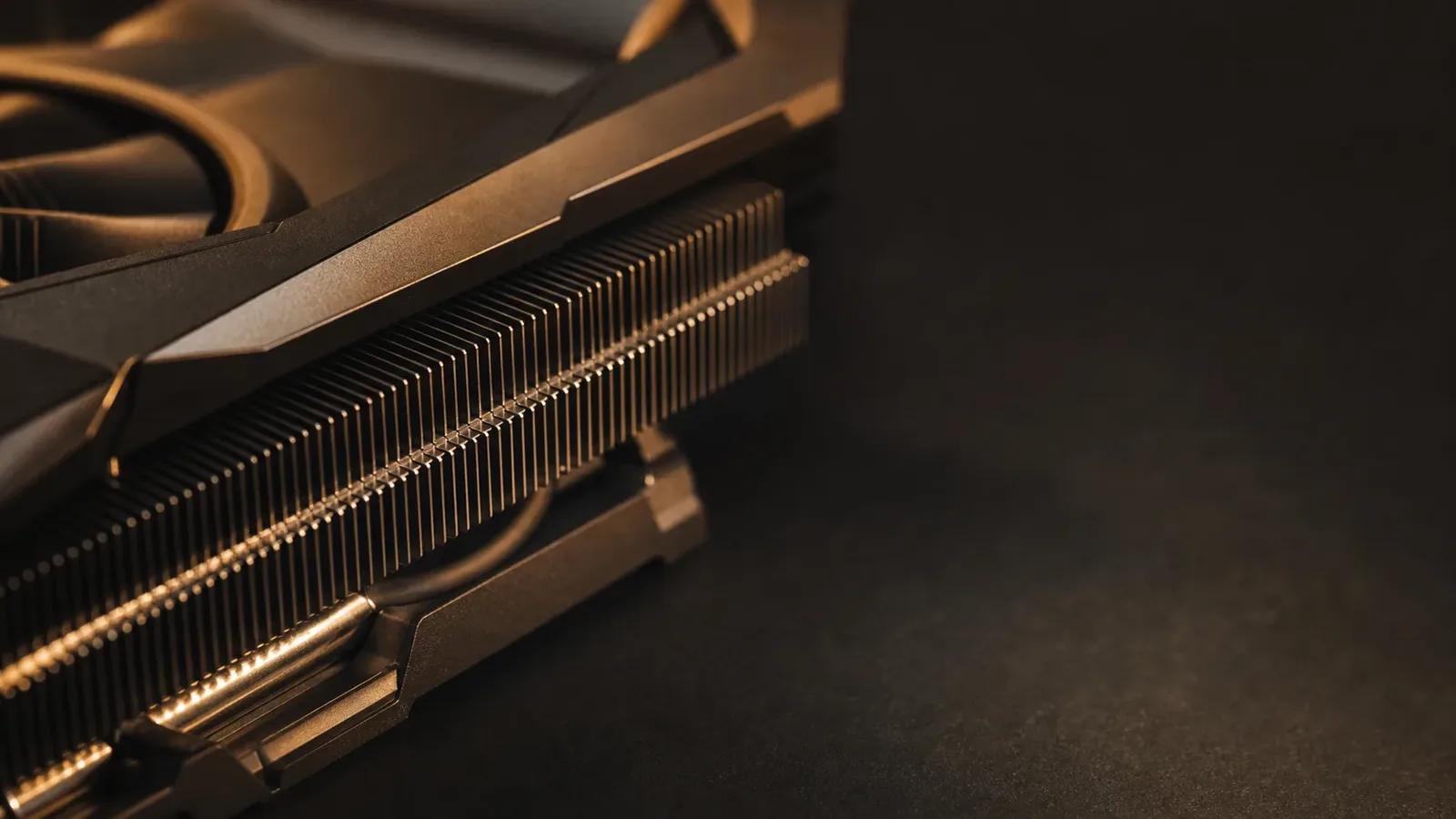
AI Hardware: Build, Buy & Size Your Local AI Machine
The buyer's guide to running AI locally. How VRAM sets your ceiling, the 8/12/16/24GB ladder, NVIDIA vs AMD vs Apple vs NPU, real builds from $500 to multi-GPU, the used-market playbook, and a capstone to spec your own machine. Updated for the 2026 hardware market — decide before you spend a dollar.

Who this is for
- →Anyone with a browser tab full of graphics cards who cannot tell which specification on the page is the one that matters.
- →People whose current machine technically runs a model but runs it badly, and who want to know whether the fix is a purchase or a setting.
- →Builders choosing between a single large card, two smaller ones, a unified-memory Mac, or renting until the workload is clearer.
- →Not for you if you want a parts list to copy without understanding it. The build chapters do work through concrete budget tiers, but component pricing moves faster than any written guide, so the durable part is the specification reasoning behind each choice.
- →Not a course on running models. It stops at the point where the machine is built, benchmarked and documented.
What you need first
- ·No hardware experience assumed. Component anatomy is covered from the beginning, including what each figure on a specification sheet controls.
- ·A rough idea of the workload you want: text generation, image generation, fine-tuning or transcription. These pull the buying decision in different directions and the course says which.
- ·Willingness to open a case if you are building rather than buying. Nothing here requires soldering or specialist tools.
- ·A budget range, even a loose one, since almost every recommendation in the material is conditional on where the ceiling sits.
Memory is the gate, bandwidth is the speed limit
Buying hardware for local AI is not the same shopping problem as buying for games or for video editing, and importing habits from those hobbies is how people end up with an expensive machine that runs models badly.
For a game, the binding constraint is usually compute: how many shading and ray-tracing operations the chip can retire inside a frame budget. For running a language model, the ranking is different and fairly rigid.
Capacity comes first, and it is binary. The weights, the key-value cache and the activations either fit in the accelerator's memory or they do not. There is no gentle degradation. When it does not fit, the runtime either refuses or pushes part of the model into system RAM, and every token then has to cross the bus to reach it. The result is not a slightly slower machine; it is a qualitatively different experience, which is why people describe the same card as excellent one week and unusable the next after raising a context setting.
Bandwidth comes second, and it sets the ceiling on generation speed. Producing each new token requires streaming the active weights out of memory. That means the fastest a model can generate is governed by how many bytes per second the memory subsystem delivers, divided by how many bytes each token needs. Manufacturers publish memory bandwidth for every product; the gap between dedicated graphics memory, a unified-memory system, and ordinary dual-channel desktop RAM is wide, and it is the single most predictive number on the page after capacity.
Compute comes third for text generation, and first for some other work. Raw arithmetic throughput matters when many tokens are processed at once — prompt ingestion, fine-tuning, batch jobs — and it dominates diffusion image and video generation, which is compute-heavy rather than bandwidth-heavy. This is the reason a person buying for image generation and a person buying for chat should not necessarily buy the same card, and why generic advice threads produce so much disagreement: the participants are optimizing for different constraints without saying so.
The practical rule the course builds on is that a card with more memory and less compute usually beats the reverse for language models, while the ordering can flip for image and video work. Establish which of those you are buying for before reading a single review.
The memory ladder and what each tier really unlocks
Recommendations phrased as model names go stale within months. Recommendations phrased as arithmetic do not, which is why the course teaches the ladder as capacity tiers with a method rather than as a table of downloads.
The method is unchanged from tier to tier. Take the parameter count, multiply by bytes per parameter for the quantization you intend to use, add the key-value cache for the context length you actually want, and leave headroom for the runtime and for whatever is driving your display. What changes across tiers is how much of that budget is left after the weights.
- 8GB is the entry rung: small models at four-bit precision with a modest context. That is genuinely useful territory — code completion, embeddings for search, transcription, small vision models, focused extraction tasks. It is also a ceiling you meet quickly, and you usually meet it by raising the context rather than by changing models.
- 12GB is where a general-purpose assistant starts feeling reasonable rather than compromised, because a mid-sized model fits with enough context left to hold a real conversation or a file of code.
- 16GB is where most single-user text work stops requiring compromise, and where image generation becomes comfortable rather than an exercise in low-memory workarounds.
- 24GB and above puts the larger open-weight models and a long context within reach at the same time, which is the combination that matters. It is the level people who intend to keep a machine for several years generally aim at.
- Beyond a single card you are into multiple accelerators or unified-memory systems, and the trade-offs change enough that the course treats that as a separate decision rather than another rung.
Three things that quietly consume the budget
Context length is a purchase. The cache is reserved according to the window you configure, before any conversation happens. Raising it is the most common way to fall off a tier you were comfortably on.
Mixture-of-experts changes the arithmetic. Those models carry a large total parameter count with only a fraction active per token. The total sets the footprint, so they need capacity like a large model, while behaving like a smaller one once resident. They reward capacity buyers specifically.
Your desktop is using the card too. Display output, browser compositing and any accelerated application take memory from the same pool. On a machine with integrated graphics, driving the monitors from the integrated chip and leaving the discrete card headless returns a meaningful slice of capacity for free.
NVIDIA, AMD, Apple Silicon and the NPU question
Every platform in this space is a trade between raw specification and how much of your time the software stack will consume.
NVIDIA is the default because CUDA is what nearly every project targets first. Choosing it means the largest share of tools work on the day you install them, which has real value if your interest is running things rather than debugging them. The trade-off is that memory capacity is deliberately segmented at the consumer tier, so you generally pay more per gigabyte than the alternatives.
AMD frequently offers better capacity for the money and competitive bandwidth. The constraint is not the silicon; it is the official ROCm support list, which consumer cards move on and off of, and the number of projects that assume CUDA in their build scripts. For language-model inference specifically the situation is much better than its reputation, partly because llama.cpp's Vulkan backend sidesteps the vendor compute stack entirely. For training, fine-tuning and research libraries, the gap is wider and more frustrating.
Intel Arc is the third path: attractive capacity for the money, an improving software story through oneAPI and Intel's own inference libraries, and the smallest ecosystem of the three. It suits people who enjoy being early more than people who need something to work this evening.
Apple Silicon wins on a dimension the others cannot match. Unified memory means the GPU addresses a large share of system memory, so a laptop can hold models that would require a workstation card on a PC. Memory bandwidth rises substantially across the Pro, Max and Ultra tiers, and Apple publishes the figure for each. The costs are real: prompt processing throughput trails a comparable discrete card, some projects will never run because they are CUDA-only, and the memory is soldered, so the capacity you buy on day one is the capacity you have for the life of the machine. That last point turns the configuration page into the most consequential decision in the purchase.
NPUs are the most over-anticipated component in current laptops. They are designed for sustained inference at very low power, they share bandwidth with system memory rather than having their own, and the toolchains are fragmented across competing vendor runtimes. In practice they run small models and specific accelerated features well. Buying a laptop primarily for its NPU in order to run large language models is a bet on software that has not arrived yet.
Laptops and mini-PCs
The hidden specification in any small machine is sustained power budget. A mobile part sharing a name with a desktop one runs at a lower sustained limit, and inference is a sustained load rather than a burst, so it settles at the throttled state rather than the advertised one. Mini-PCs built around large pools of unified LPDDR memory are a genuinely interesting middle path — capacity a discrete card cannot match at the price, with bandwidth well below one — and the course treats them on their own terms rather than as small desktops.
The parts of the build that are not the graphics card
Most build failures are not the accelerator. They are everything specified around it after the budget was already spent.
System RAM. You need enough to load and convert models before they reach the accelerator, to hold whatever portion gets offloaded, and to run the rest of the machine. If you intend to run models larger than your accelerator memory at all, this stops being incidental and becomes the second constraint. Memory channel count matters more than raw capacity for any CPU-side inference, because that side of the machine is bandwidth-limited too.
CPU. Largely irrelevant for work that lives entirely on the accelerator, beyond keeping it fed. It becomes important for CPU offload, for data preparation, and for running the surrounding services. Core count is generally less useful than memory channels here, which inverts the advice you would get for compilation or rendering.
PCIe lanes. A single card at reduced lane width costs little during generation and more during model loading. Multiple cards, or a tensor-parallel serving stack, are where lane allocation stops being academic — and where consumer motherboards start quietly halving what you thought you had when a second slot is populated.
Storage. Models are large and you will accumulate more than you plan to. Load time from disk is felt every time a model is cold, so an NVMe drive is not a luxury. Capacity planning here is consistently underestimated by first-time builders.
Power supply. Two separate concerns: sustained draw, and transient spikes that modern high-end cards produce well above their nominal rating. Headroom is not padding. Connector seating on the current high-power standard has a publicly documented failure history, and it is worth the extra minute of attention during assembly.
Cooling and airflow. Inference is a long, steady load, unlike the bursty pattern games produce. Thermal throttling does not announce itself with an error; it appears as performance that quietly declines over the first several minutes and then stays there. Stacked cards make this much worse, and blower-style coolers exist precisely for that arrangement.
Noise and running cost. A machine that is unpleasant to sit beside gets used less, which is a real cost even if it never appears on a specification sheet. Sustained power draw is also a running expense worth estimating before the purchase rather than after the first electricity bill.
Multiple cards: what they buy and what they do not
Adding a second accelerator is a materially different project from buying one, and the most common misunderstanding is about what it improves.
There are two distinct ways to use more than one card, and they behave nothing alike.
Layer splitting, which is what llama.cpp-family runtimes do by default, places some of the model's layers on each card. This adds capacity: a model too large for either card individually now fits. What it does not add is much speed, because the cards work in sequence rather than together — while one is computing its layers, the other is waiting. Consider this the capacity solution.
Tensor parallelism, used by serving stacks such as vLLM, splits individual layers across cards so they compute simultaneously. This genuinely increases throughput, and it depends much more heavily on the interconnect between cards, since they must exchange intermediate results constantly. It also generally wants a card count that divides cleanly.
What that means when buying
High-bandwidth direct interconnects are limited on current consumer cards, so most home multi-card systems communicate over PCIe. That is adequate for layer splitting and a real handicap for tensor parallelism. Mismatched cards are workable for capacity and awkward otherwise, since the split has to account for different memory sizes and the pair is paced by the slower part.
Then come the practical costs that people discover after ordering: a power supply sized for both cards including transients, a case and motherboard that physically accept them with airflow between, lane allocation that does not collapse when the second slot is filled, and the extra heat dumped into the room. Risers solve clearance and introduce their own reliability problems.
The honest summary the course offers is this. If your goal is running a larger model than one card can hold, a second card is an effective and well-trodden answer. If your goal is making your current model faster, a second card is usually the wrong purchase, and the money is better spent on a single card with more memory and more bandwidth.
Buying used without getting burned
The used market is where capacity per unit of money is best, and previous-generation cards with large memory pools are the reason many home setups exist at all. It is also where the buying mistakes are permanent.
What actually goes wrong
Ex-mining cards attract the most anxiety and are not automatically bad; a steady load at a fixed clock is gentler on silicon than years of thermal cycling. What does degrade is everything around the silicon: fan bearings, thermal paste that has dried, and thermal pads on the memory modules that have hardened. Those are serviceable, but you should know whether you are buying a card or a project.
Beyond that: cards with repaired or bodged power delivery, cards physically stressed by sagging in a case, and — less common but real — cards flashed or rebadged to report as a higher model than they are.
The inspection routine
- Confirm the device identifies correctly through vendor tooling, and check the reported memory size and memory bus width against the manufacturer's published specification for that exact model. A mismatch here ends the conversation.
- Run a sustained load and watch it over time, not for thirty seconds. Look for clocks that hold, temperatures that plateau rather than climb, and memory-junction temperature if the card exposes it. Problems appear in the fifth minute, not the first.
- Test every display output, even if you never plan to use them, because a dead output is a signal about the card's history.
- Inspect physically: sag damage at the slot bracket, corrosion, missing screws, mismatched or excess thermal paste around the die, and shroud gaps suggesting it has been apart before.
- Buy where there is recourse. A platform with buyer protection is worth a premium over a cash meeting with a stranger. If it must be in person, test in a running machine before paying.
The data center card temptation
Older data center accelerators look extraordinary on capacity alone and are a well-known trap. Some generations lack fast low-precision arithmetic paths entirely, so they underperform their memory badly on exactly the quantized workloads people buy them for. They are also passively cooled, expecting server airflow, which means a fan shroud and a case that can accommodate the length and the noise. Check the generation's arithmetic support before the capacity figure seduces you.
One caution about the budget figures that appear in any build guide, this one included: memory supply cycles and demand for AI capacity move component pricing in both directions faster than a written page can follow. Treat a budget tier as a statement about which specification is reachable around that level, not as a quotation. Plan around the specification you need and buy when it appears at a number you accept, rather than holding out for a price a page told you to expect.
Build, buy, or rent — and how to verify what you bought
The most expensive hardware mistake is not choosing the wrong card. It is buying before the workload is understood, then discovering the purchase optimized for the wrong constraint.
Rent first if you are unsure. Hourly cloud GPU rental is an honest, low-commitment way to find out what your actual work requires. Run the models you think you want, at the context lengths you think you need, and watch which resource you exhaust. That answer is worth more than any recommendation, including this one, and the rental cost is trivial next to a wrong purchase.
Build when the workload is sustained rather than occasional, when data governance or privacy makes local processing a requirement rather than a preference, when accumulated rental hours would exceed the purchase, or when the machine has a second job that justifies it independently.
Choose a unified-memory Mac when you want large capacity in a quiet, portable, low-power form, you can live inside the MLX and llama.cpp ecosystems, and you can afford the memory tier at the point of purchase — because that decision is final on soldered memory.
Buy a prebuilt or a mini-PC when you would rather not spend a weekend diagnosing a build. The premium is real and so is the time it saves; neither choice is wrong, but pretending the trade does not exist is.
Verify before you tune
Once the machine exists, establish a baseline before changing anything. Fix a model, a quantization, a context setting and a specific prompt, make sure the model is already resident so you are not measuring your disk, and record load time, prompt processing and generation separately. Write down the driver and runtime versions alongside them.
That record is what makes every later decision arguable rather than anecdotal. When a driver update lands, when you change a runtime flag, when you add a second card, you have something to compare against. Without it you are left with impressions, and impressions about performance are reliably wrong — people remember the fastest run and the most frustrating one, and neither is the median.
The course ends with the specification exercise rather than a shopping list: write down the workload, run the capacity arithmetic against it, choose a platform on the trade-offs rather than the brand, and only then look at what is available to buy.
Common questions
How much VRAM do I actually need for local AI?
It depends on the largest model you want resident and the context length you want with it, and the course teaches the arithmetic rather than a single figure because model sizes churn. As a shape: 8GB runs small models at four-bit precision with a short context, 12GB to 16GB is where a general assistant stops feeling compromised, and 24GB or more is what lets you hold a large model and a long context at the same time. Work out your own number from parameters, bit width and cache before shopping.
Is AMD usable for local AI now, or should I just buy NVIDIA?
For running language models, AMD is far more usable than its reputation suggests, particularly through runtimes with a Vulkan backend that avoid the vendor compute stack entirely. The friction shows up in training, fine-tuning and research code that assumes CUDA, and in consumer cards moving on and off the official ROCm support list. If your time is worth more than the price difference, NVIDIA remains the path of least resistance.
Is a Mac better value than a PC build for running models locally?
For capacity per watt in a quiet portable machine, unified memory is genuinely hard to beat, and it lets a laptop hold models that would need a workstation card on a PC. For prompt processing throughput, ecosystem breadth and the ability to upgrade later, a discrete-GPU PC wins. The decisive question is usually whether the tools you intend to use have a non-CUDA path, and whether you can afford the memory tier at purchase, since it cannot be changed afterwards.
Do the NPUs in new laptops help with local LLMs?
Not much yet for general large-model work. They are built for low-power sustained inference, they share bandwidth with system memory rather than having a dedicated pool, and support is fragmented across competing vendor runtimes. They handle small models and specific accelerated features well. Buying a machine primarily for its NPU in order to run large models is a bet on software that has not shipped.
Are used graphics cards from mining rigs safe to buy?
Often, with inspection. Steady mining load is not obviously worse for silicon than years of thermal cycling, but fans, thermal paste and memory thermal pads degrade and may need replacing. Verify the card reports the correct model, memory size and bus width through vendor tooling, run a sustained load for several minutes while watching clocks and temperatures rather than testing briefly, and prefer a marketplace with buyer protection over a cash meeting.
Should I build now or wait for the next generation?
Waiting is nearly always defensible and nearly always unproductive, because something better is permanently six months away. The more useful framing is to rent cloud GPU time until you know which resource your workload exhausts, then buy the specification that solves it when one appears at a price you accept. Component pricing in this market moves in both directions, so timing advice ages worse than anything else in the material.
Related reading
Hardware hub
Current card and system pages organized by capacity tier and use case.
VRAM calculator
Does the weights-plus-cache arithmetic from the ladder chapter for a given model and context.
GPU memory bandwidth for local LLMs
Why the bandwidth figure predicts generation speed better than the compute figure.
CUDA and ROCm support matrix
Which cards are officially supported by which stack, the constraint behind the AMD section.
Used GPU buying guide
The inspection routine in full, including what to test and what to walk away from.
Apple Silicon buying guide for AI
Memory tiers, bandwidth by chip class, and where the unified-memory trade lands.
Full syllabus
GPU Anatomy: VRAM, Bandwidth, and Compute
The VRAM Ladder: What Fits at 8, 12, 16, and 24GB+
System RAM, CPU, and Storage
NVIDIA vs AMD vs Apple Silicon vs NPU
Budget Builds: $500-900 That Actually Work
Mid-Range Builds: The $1,000-1,800 Sweet Spot
High-End and Multi-GPU: 70B at Home
Laptops and Mini-PCs for Local AI
The Used-Market Playbook
Benchmark Your Build
Capstone: Spec Your Own Machine
Unlock all 12 chapters
Plus 24 other courses — 549 more chapters included.
Every course, every future course, the Python Lab and eight downloadable kits, nothing to renew. Or subscribe: Pro $8.99/month